Can I make a birthday video with photos and music online for free?
Yes. birthday.video runs in your browser and is free, with no watermark and no account. The photos and music are not uploaded.
Free · made on your device
Photos and short clips from your phone, a card with their name, and a Happy Birthday tune or a song of your own underneath. Made online, free and private.
Free · no sign-up · no watermark
To make a birthday video with photos and music, pick a design, add your photos and short video clips in order, then choose the music: one of the free Happy Birthday arrangements, or a song file from your phone. Their name and age open the video, your message closes it, and you download an MP4.
Mixing clips with photos is what makes it feel alive: a two-second clip of them laughing or blowing out candles between stills catches the eye in a way a photo can’t. If you only have photos, the birthday slideshow page is about pacing a run of pictures. This page opens with the music choices ready.
It all happens online in your browser, but nothing is uploaded: the photos, clips and song stay on your device.
Start from one of these
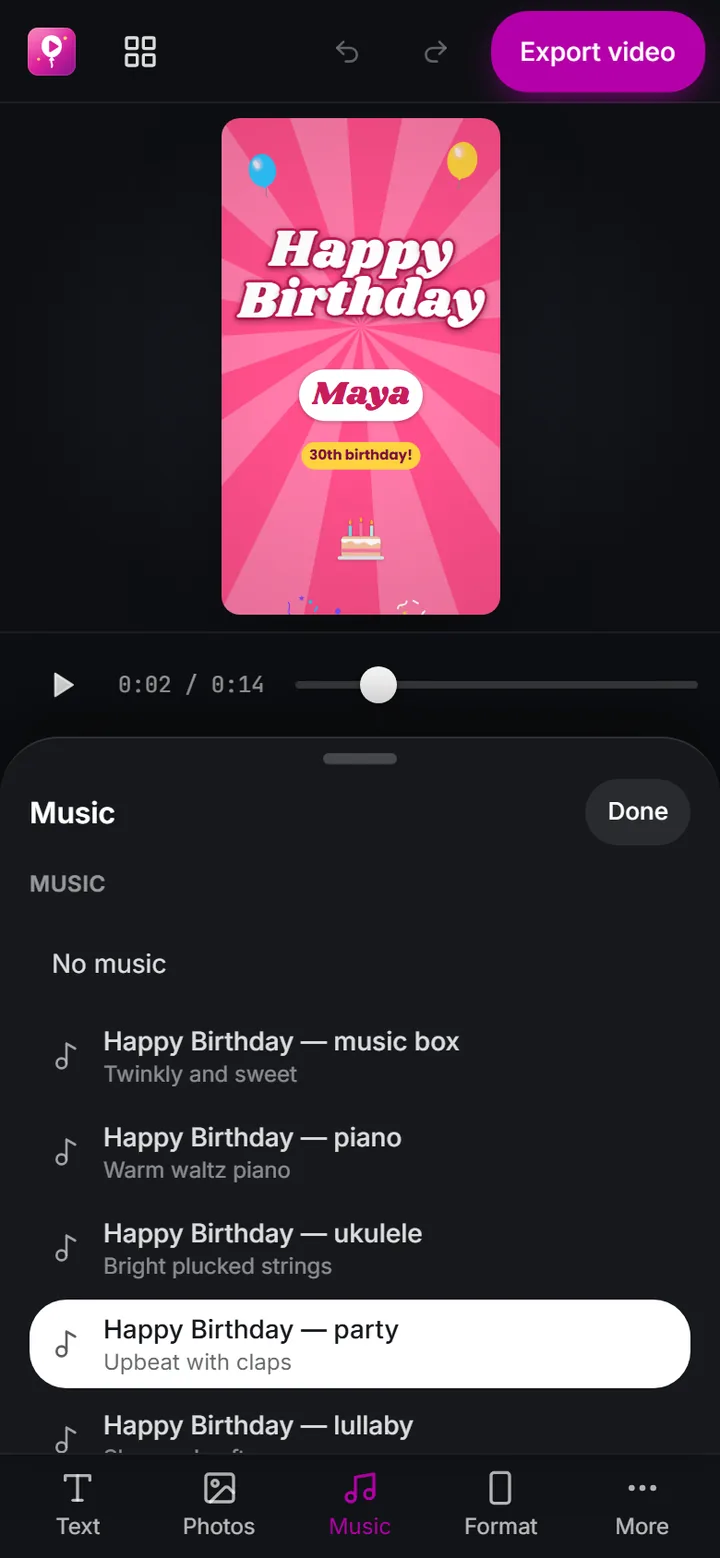
Press Add photos and music. Add music is open: pick a Happy Birthday arrangement, or add a song from your device.
 (enlarge image)
The Music panel: our own Happy Birthday arrangements, or Add music for a song on your device.
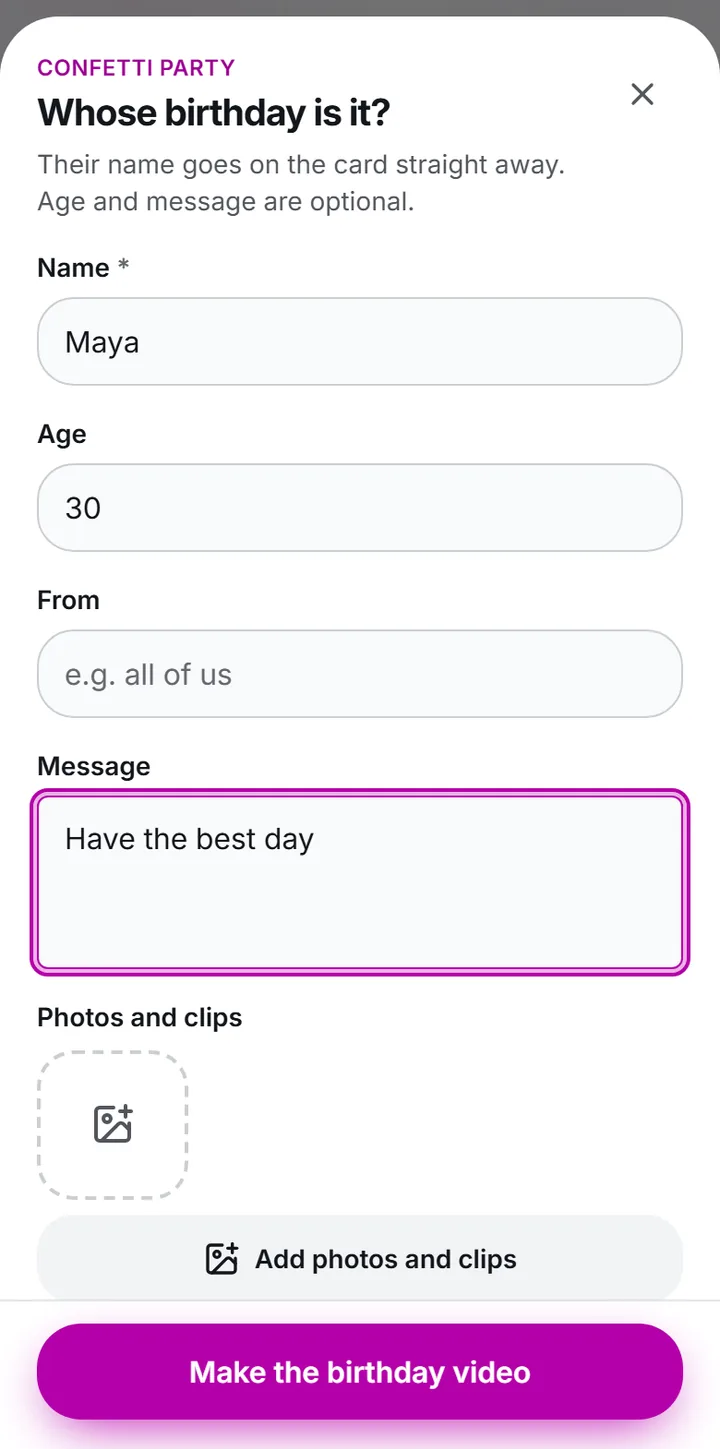
Press Add photos and clips and choose them in the order they should play. Keep clips short, two to six seconds each.
 (enlarge image)
Type the Name, Age and Message, then Add photos and clips if you have them.
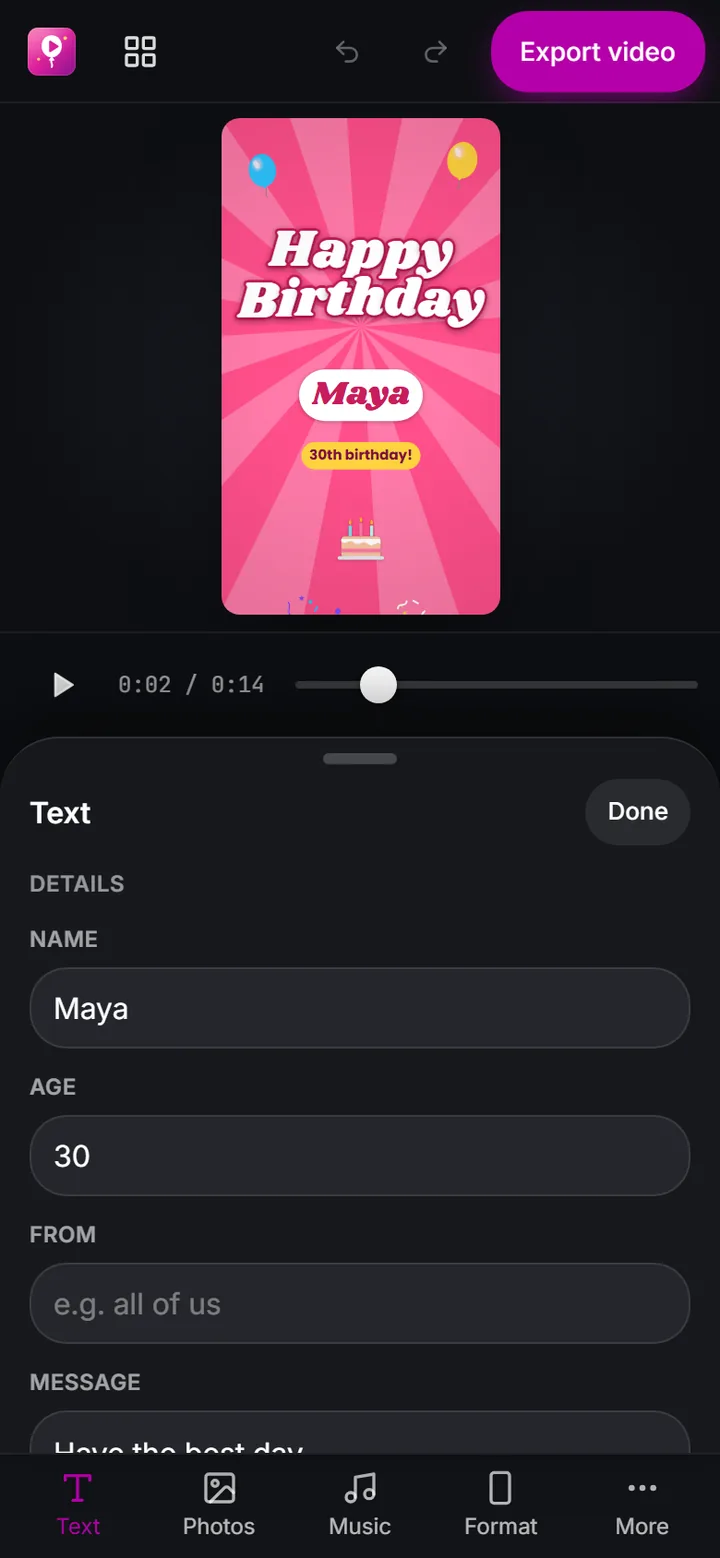
Type the Name, the Age if wanted, and a Message for the end. Choose a different design from Templates if you like.
 (enlarge image)
Every word on the card is in the Text panel.
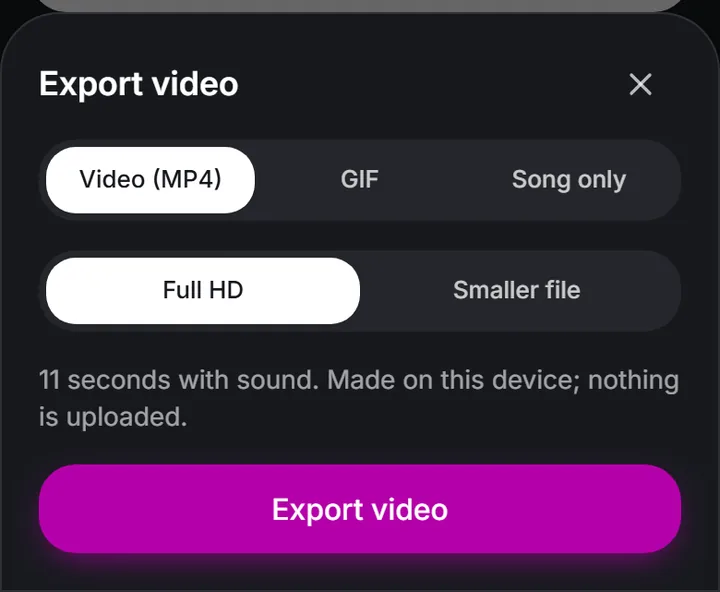
Pick a Format, press Export video, then Download video, or Share on a phone.
 (enlarge image)
Export video opens this sheet: Video (MP4) for a video with sound.
If your clips are mostly people talking, choose a calm arrangement, or leave the music off altogether, as many people do for the spoken messages on the birthday montage page.
The melody of Happy Birthday is in the public domain, and the arrangements in Add music are made for this site, so you can use them in any video, including a public post. There are calm and lively ones; Song only saves one as an audio file for the party too. The Happy Birthday song page lists them.
Their favourite song makes a video personal. Add music takes a song file you have on your phone or computer, such as an MP3 or M4A. Songs from streaming apps can’t be added, and social networks may mute well-known tracks in a public post, though a video you send privately is unaffected.
A photo every three to five seconds suits most songs; slower for old family photos people want to study, faster for a party. As a rule of thumb, a one-minute tune carries about fifteen photos and a couple of clips, and a three-minute song about forty photos. If you have far more, pick the best and save the rest for an album.
Yes. birthday.video runs in your browser and is free, with no watermark and no account. The photos and music are not uploaded.
Song files such as MP3, M4A and WAV that are saved on your device, or one of the free Happy Birthday arrangements.
For a video you send privately, people usually do. For a public post, the network may mute or block a well-known song. The Happy Birthday arrangements here are free to use anywhere; see is Happy Birthday copyrighted.
About fifteen for a one-minute tune and forty for a three-minute song, with a short clip every few photos.
Photograph each print with your phone, straight on and in daylight, then add them with Add photos and clips like any other photo.