


Can I make a happy birthday GIF with any name?
Yes. You type the name, so any name, spelling or nickname works, including names you won’t find in ready-made GIF galleries.
Free · made on your device
Any name, spelled their way, on an animated birthday GIF that loops. Type it in, check it, download it. Free and made on your device.
Free · no sign-up · no watermark
Download one as it is, or press Add their name to open it in the editor and make it theirs.



For a happy birthday GIF with someone’s name, type the name into an animated design and export it as a GIF: it loops, it has their name in every frame, and it takes about a minute. Galleries of pre-made name GIFs only cover the most common names; this works for every name, spelling and nickname.
This page opens a square design with GIF already chosen. Type the Name, watch it play, and press Export video, then choose GIF. Nothing is uploaded and the GIF has no watermark.
Start from one of these
Press Make a GIF with their name. A square design opens with GIF chosen; pick another from Templates if you prefer.
 (enlarge image)
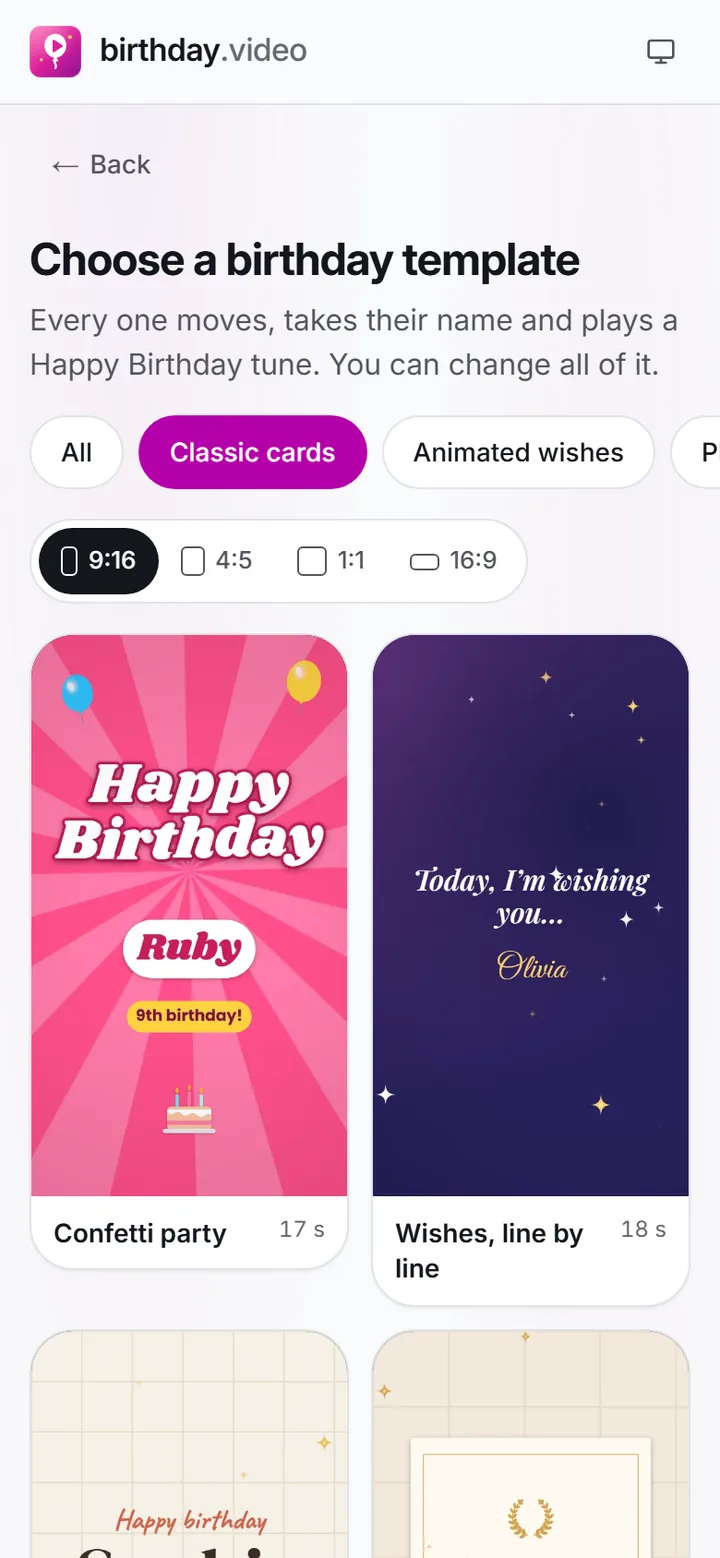
Pick a card from the gallery; the category and the shape are already set by the page you came from.
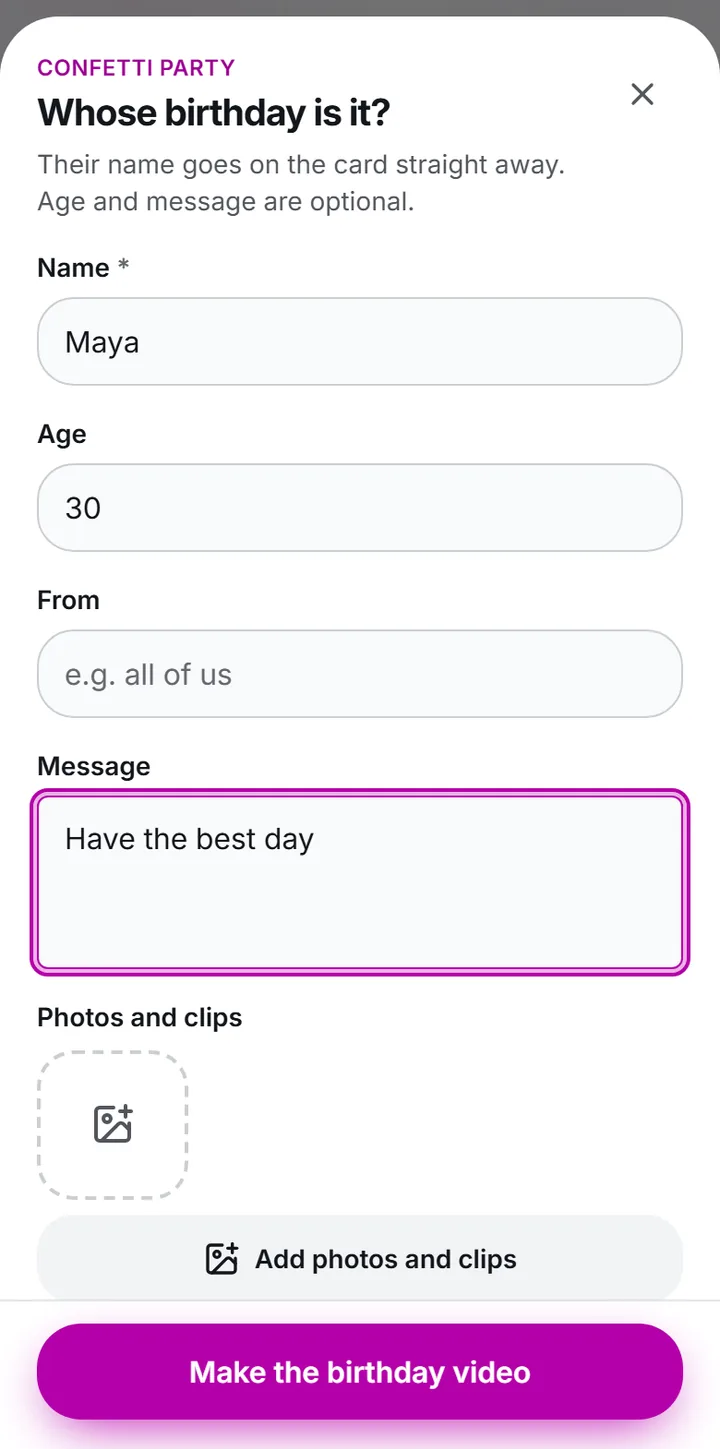
Enter it in Name exactly as they write it, then let the design play once to check every letter.
 (enlarge image)
Type the Name, Age and Message, then Add photos and clips if you have them.
Add the Age if you like and keep the Message to two or three words, so the GIF reads at a glance.
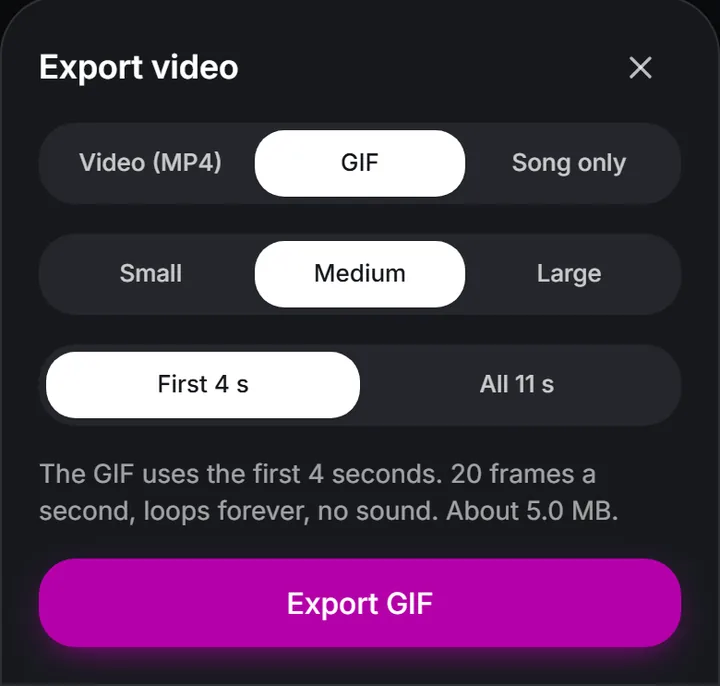
Press Export video, then choose GIF, then Download video, or Share on a phone to send it straight to a chat.
 (enlarge image)
Choose GIF for a silent loop: pick a size and how much of the video it uses, and the sheet estimates the file size.
A GIF is often seen small, in a chat bubble or a comment, so the name needs to work at a glance:
Pick a design in their favourite colour, or their team’s. It is the quickest way to make a GIF feel chosen rather than found.
For a partner or a child, the name only you use is the one that lands. The my love page has more ideas for partners.
Twins, or a whole family with birthdays in the same month? Make one GIF each; changing the name and exporting again takes seconds.
Group chats, comment threads on a birthday post and work messaging apps, anywhere a quick, silent wish fits. For a Story, choose Story 9:16 under Format, or export an Video (MP4) with one of the Happy Birthday tunes so it has sound.
Yes. You type the name, so any name, spelling or nickname works, including names you won’t find in ready-made GIF galleries.
Yes. Typing a name and downloading the GIF are free, with no watermark and no account.
Yes. Fill in Age and it appears alongside the name on designs that show one.
Yes, on the same device. Your project is saved in the browser, so you can open it again, change the name and export another.
The GIF format can’t hold sound. Choose Video (MP4) if you want a Happy Birthday tune with it.