Does the iPhone have a birthday video maker?
Not one made for birthdays, but Photos turns pictures into memory movies with music, and iMovie makes Magic Movies from clips and photos you choose.
Free · made on your device
The apps already on your iPhone or Android phone can turn photos into a video with music. Here is how each one works, and when a birthday template does it better.
Free · no sign-up · no watermark
To make a birthday video on a phone, gather ten to twenty photos or short clips, then put them together with music: on iPhone with a memory movie in Photos or iMovie’s Magic Movie, on Android with a highlight video in Google Photos or the movie maker in Samsung’s Gallery. Each makes a montage in a few minutes.
What none of them makes is a birthday card with their name and age on screen. For that, birthday.video works in Safari or Chrome with nothing to install: pick a template from Templates, type the Name and Age, add photos from your camera roll and press Export video. Online on a computer instead? The birthday video maker is the same tool on a bigger screen.
This guide follows Apple’s, Google’s and Samsung’s own help pages. Menus move between versions, so look for the same words nearby if yours differ.
Start from one of these
These steps are the same on iPhone and Android; the phones’ own apps are covered below.
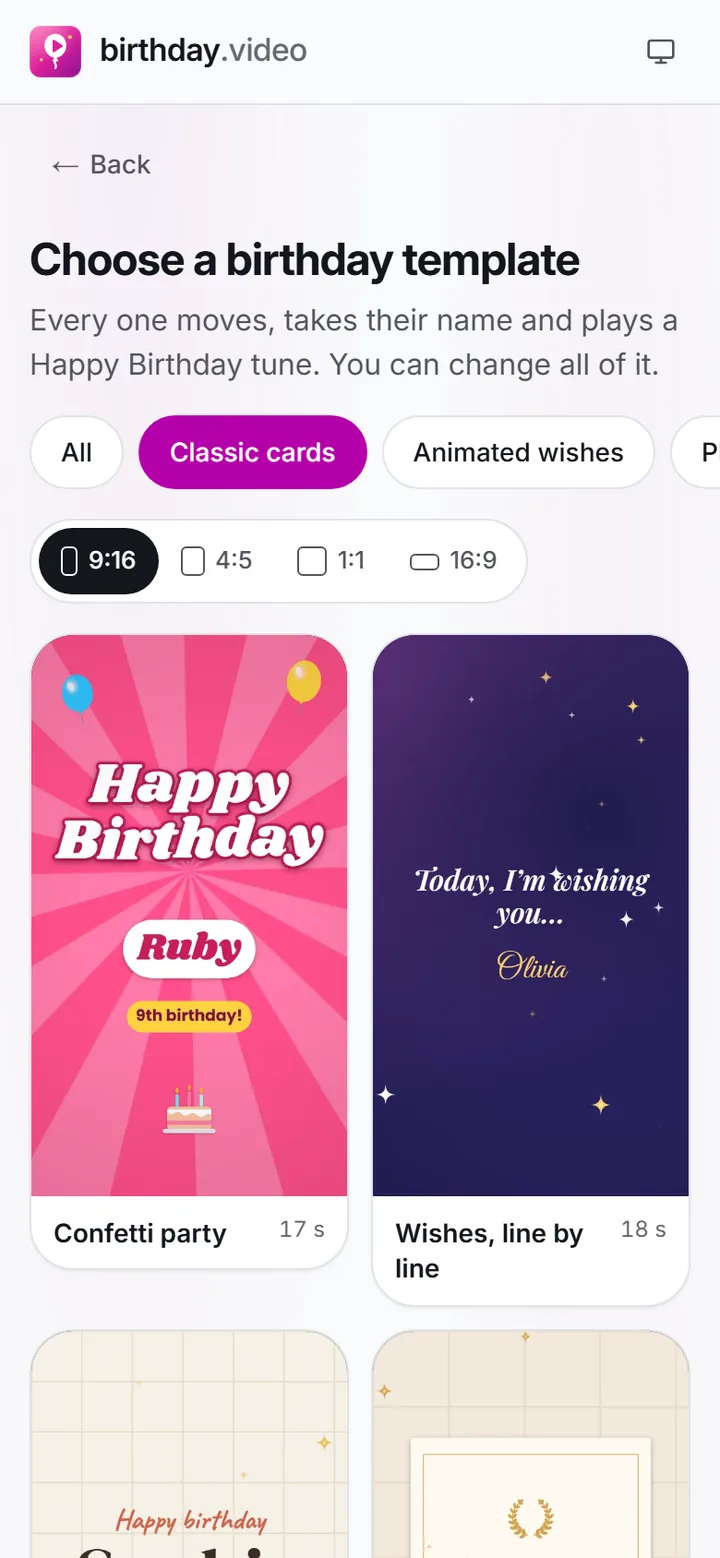
Press Start a birthday video above and pick a card from Templates: a classic card, a photo template or a milestone number.
 (enlarge image)
Pick a card from the gallery; the category and the shape are already set by the page you came from.
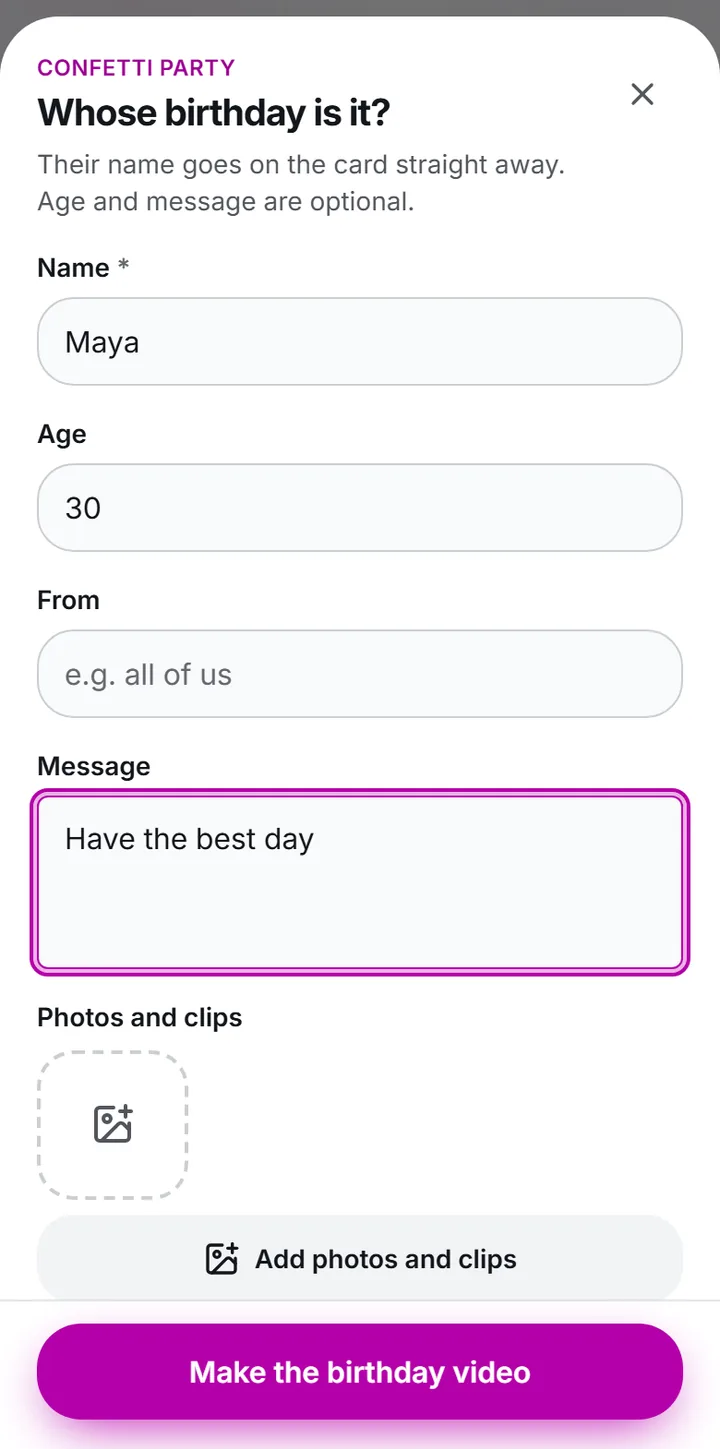
Type the Name, Age and Message. The card updates as you type.
 (enlarge image)
Type the Name, Age and Message, then Add photos and clips if you have them.
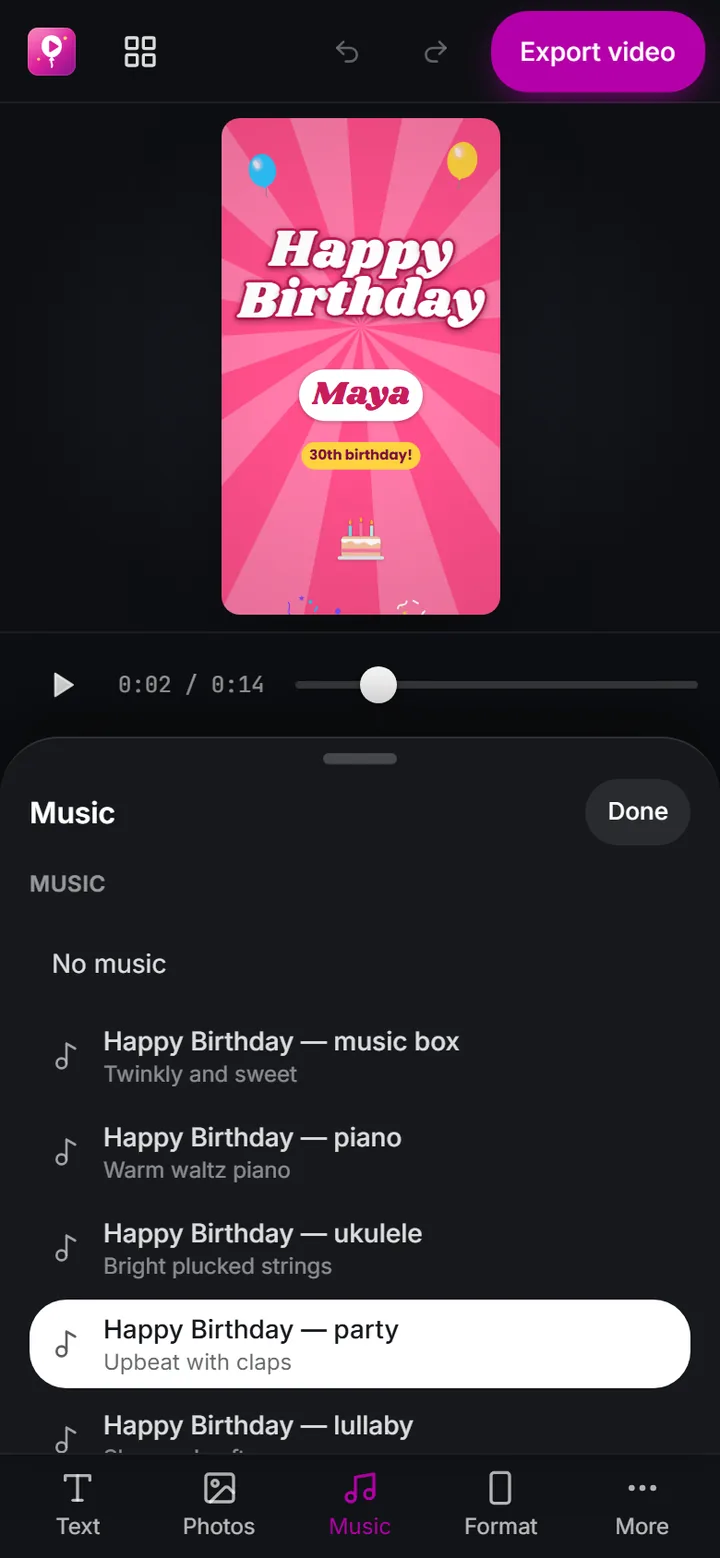
Press Add photos and clips to choose from your camera roll, then Add music for a Happy Birthday tune or a song file on your phone.
 (enlarge image)
The Music panel: our own Happy Birthday arrangements, or Add music for a song on your device.
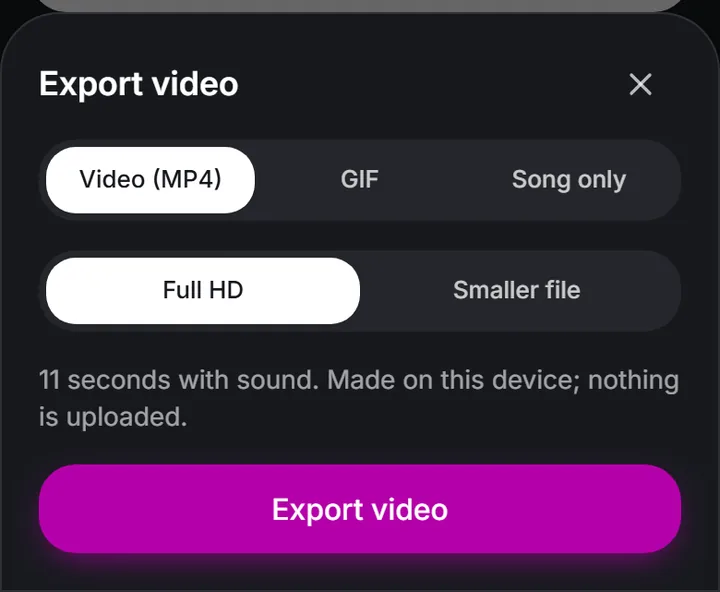
Press Export video, then Share to send it to WhatsApp, Messages or Instagram, or to save it to your photos.
 (enlarge image)
Export video opens this sheet: Video (MP4) for a video with sound.
iMovie, Apple’s free editor, has a Magic Movie project: choose the photos and clips, and iMovie builds a movie with a soundtrack and transitions that you can restyle and share as a video file. Its titles are general-purpose, so a big “Happy 50th” means typing and placing the text yourself.
Songs from Apple Music can be used in a memory movie but not added to videos made in other apps, including birthday.video, which uses song files saved on your phone.
On most Galaxy phones, select the photos and videos in Gallery, open Create and choose Movie. Samsung moved this on some phones with One UI 6, so on newer models it may sit in the Gallery’s video editor instead.
Whatever you use, the same planning helps: one to three minutes, photos in order, the best one last, and a deadline for anyone sending you clips. Birthday video ideas has twenty-four starting points.
Not one made for birthdays, but Photos turns pictures into memory movies with music, and iMovie makes Magic Movies from clips and photos you choose.
In the Create tab, after Google’s December 2025 update. Older versions put it under the plus button.
Yes. It works in modern phone browsers, with nothing to install, and nothing is uploaded.
Not in birthday.video: streaming songs are protected. Use a Happy Birthday tune from Add music or a song file saved on your phone.
After Export video, press Share and choose to save the video. On a computer, Download video saves the file.
Yes. Press Export video and choose GIF. GIFs loop silently, which suits chats and comments.