Can I download a happy birthday video for free?
Yes. Pick a design, type a name and press Export video. It is free, with no watermark and no account, and the file is made on your own device.
Free · made on your device
Pick a finished design, type their name and download it. It plays with a Happy Birthday tune you are free to use, and it’s made on your phone in a minute or two.
Free · no sign-up · no watermark
A happy birthday video you can send straight away is a finished, animated design with their name on it and a tune underneath. Pick one of the templates below, type the name, and press Export video: you get an MP4 to send on WhatsApp or post to a Story, without filming or editing anything.
Unlike the stock clips and compilations that come up when you search, the video says their name, their age if you like, and a line from you. The music is one of birthday.video’s own arrangements of the Happy Birthday tune, so it is free to use, even in a public post. Prefer something that loops in a chat? Choose GIF instead and you get a silent animation, as on the happy birthday GIF page.
Everything is made in your browser. Nothing is uploaded, there is no sign-up, and the download has no watermark.
Start from one of these
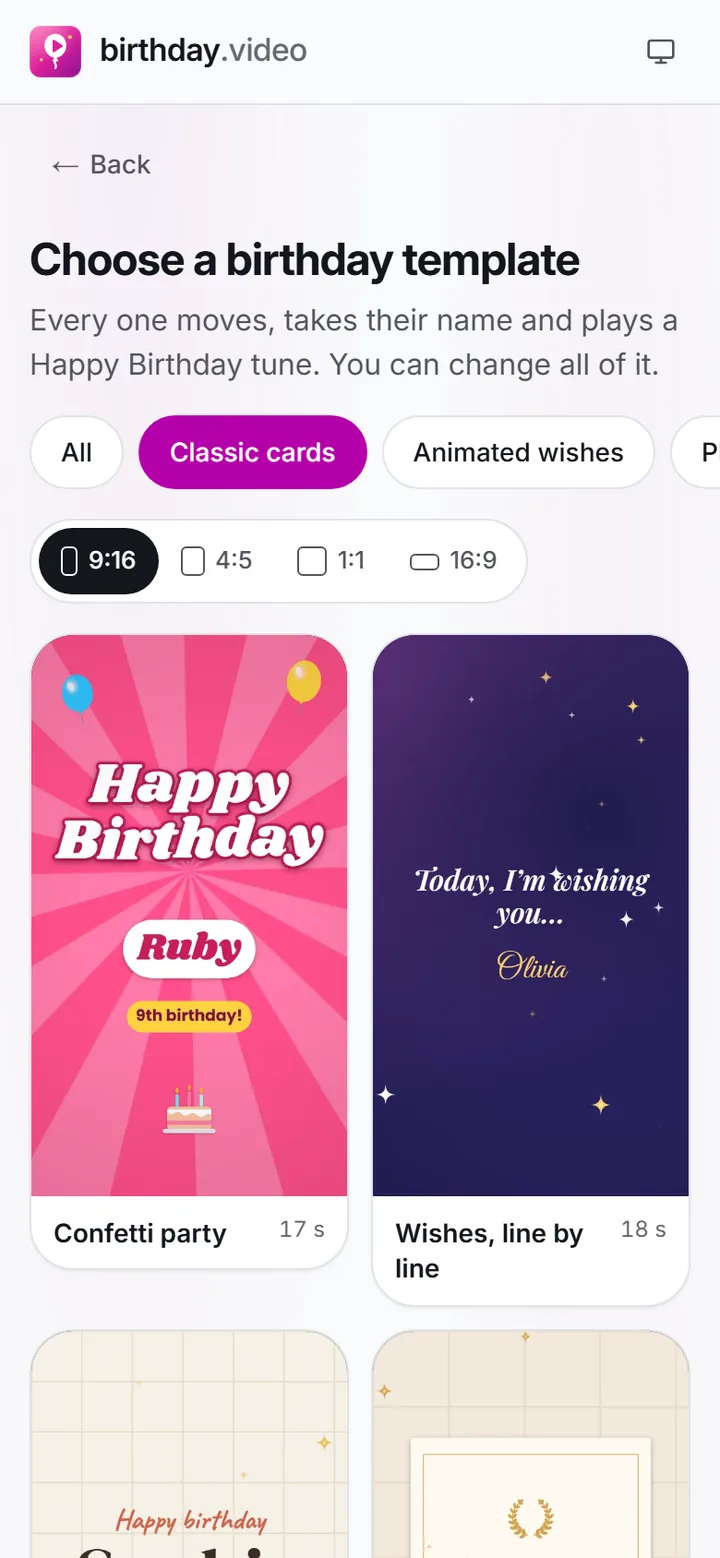
Press Pick a ready-made video and choose a design from Templates: a classic card, something funny, a big milestone number or a gentle one.
 (enlarge image)
Pick a card from the gallery; the category and the shape are already set by the page you came from.
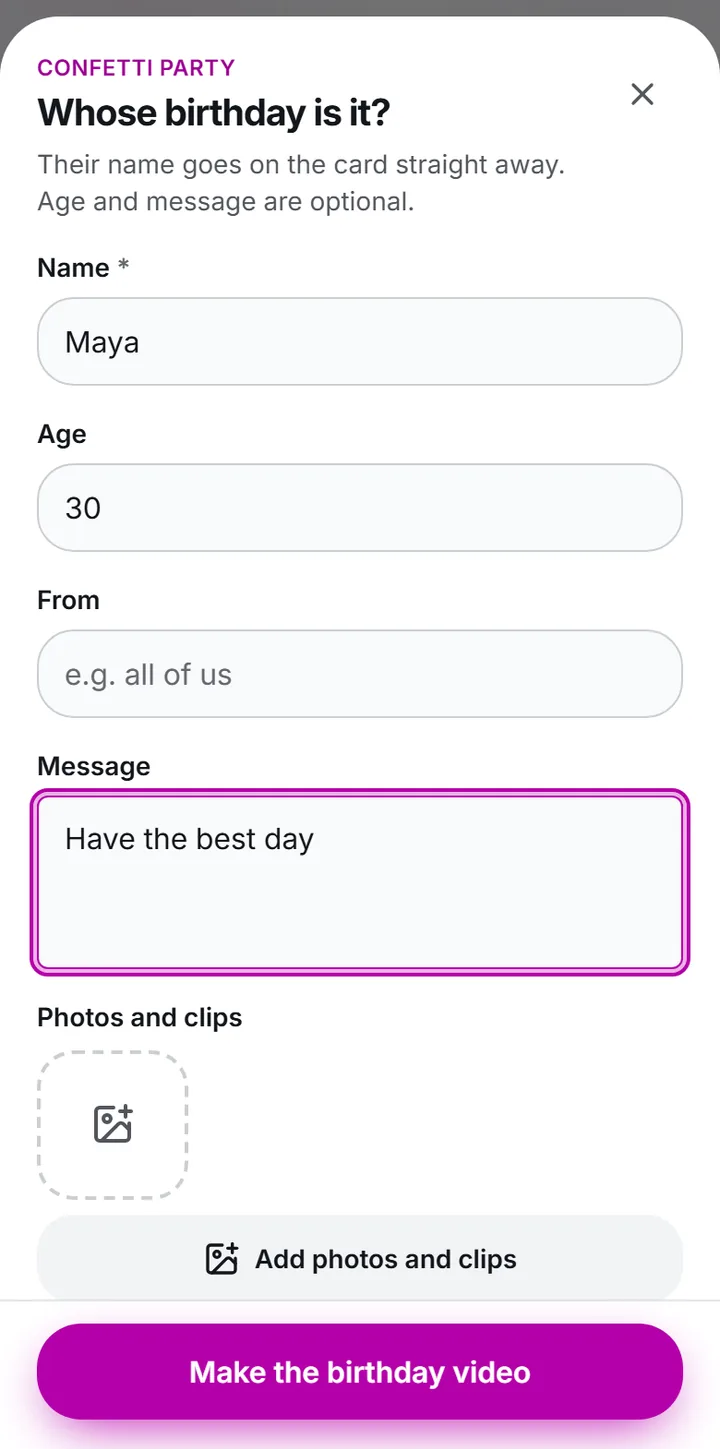
Type their Name, add the Age if it suits them, and change the Message to something you would say.
 (enlarge image)
Type the Name, Age and Message, then Add photos and clips if you have them.
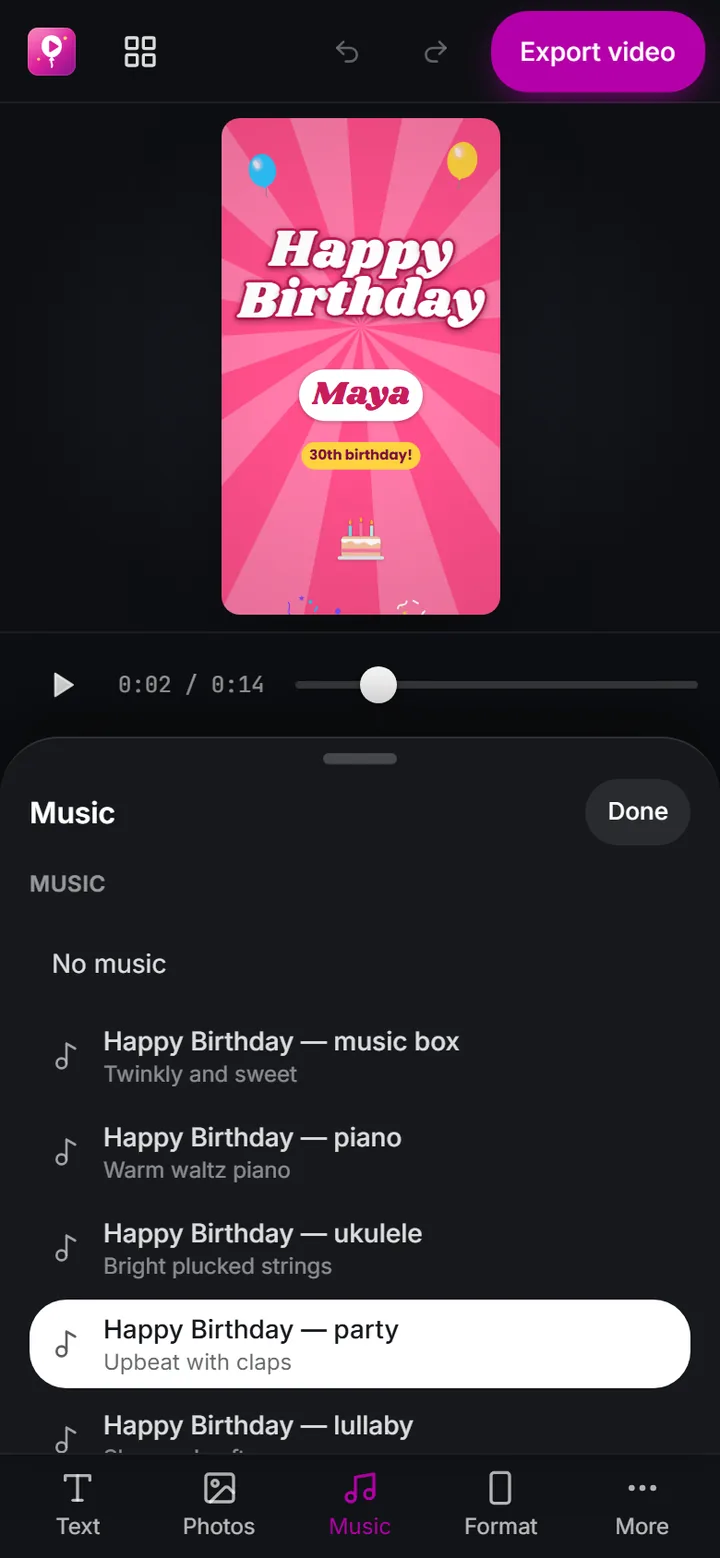
Open Add music and pick one of the Happy Birthday arrangements. If you would rather, add a song file from your phone instead.
 (enlarge image)
The Music panel: our own Happy Birthday arrangements, or Add music for a song on your device.
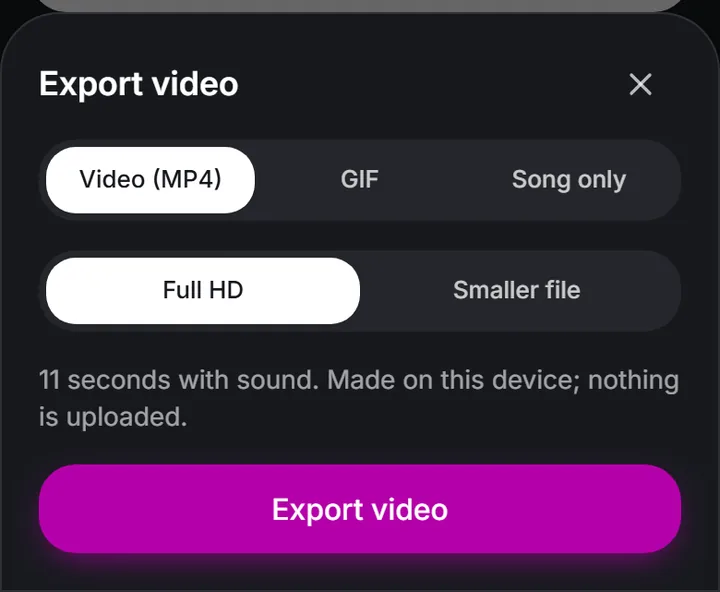
Press Export video, then Download video, or Share on a phone to send it straight to WhatsApp or Messages.
 (enlarge image)
Export video opens this sheet: Video (MP4) for a video with sound.
A ready-made video works best when the design matches the person and how close you are. A rough guide:
Every design is on the birthday video templates page if you would like to browse them all first.
Choose Video (MP4) when you want sound. It plays like any video on a phone, a laptop or a TV, so it suits WhatsApp chats and Status, Instagram and Facebook Stories, and an email. Story 9:16 under Format fills a phone screen.
Choose GIF for a short animation that plays on repeat without sound, the kind people drop into a group chat or a comment. Square 1:1 is the safest shape for a GIF. Press Export video, then choose GIF and save it like a photo.
The tune of Happy Birthday is in the public domain, and the arrangements in Add music are made for this site, so a video that uses one can go on Instagram, TikTok or YouTube without being muted for the music. If you want just the tune, for a party or another video, Song only saves it as an audio file. The Happy Birthday song page lists the arrangements, and is Happy Birthday copyrighted explains the history.
Yes. Pick a design, type a name and press Export video. It is free, with no watermark and no account, and the file is made on your own device.
No. The name appears on screen, timed with the animation, over an instrumental arrangement of the tune. Nothing is sung, so the same video works for any name.
The Happy Birthday arrangements in Add music are free to use in your video, including public posts. A chart song you add yourself is different: social networks may mute or block it.
Most designs run for about the length of the tune, well under a minute. Add photos or clips and it grows to fit them.
Yes. Press Add photos and clips and choose a picture or two; they appear in the design’s picture scenes.
Story 9:16 for WhatsApp Status, and Square 1:1 or Story 9:16 for a chat. Set it under Format before you export.