
Is the birthday GIF free?
Yes. Making and downloading a GIF is free, with no watermark and no account.
Free · made on your device
Cake, balloons, fireworks or confetti that loop forever, with their name on. Pick a design, type the name and download a GIF for any chat.
Free · no sign-up · no watermark
Download one as it is, or press Add their name to open it in the editor and make it theirs.


A happy birthday GIF is a short animation that plays on a loop with no sound: candles flickering, balloons rising, confetti falling. Most GIFs online are the same few clips shared millions of times; here you pick a design, type their name and download a GIF that is theirs alone.
This page opens the editor with GIF chosen and a square shape, which is what chats and comment boxes show best. Type the Name, add the Age if you like, and press Export video, then choose GIF. Want sound as well? Switch to Video (MP4) and add one of the free Happy Birthday tunes.
The GIF is made in your browser, so nothing is uploaded and there is no watermark on it.
Start from one of these
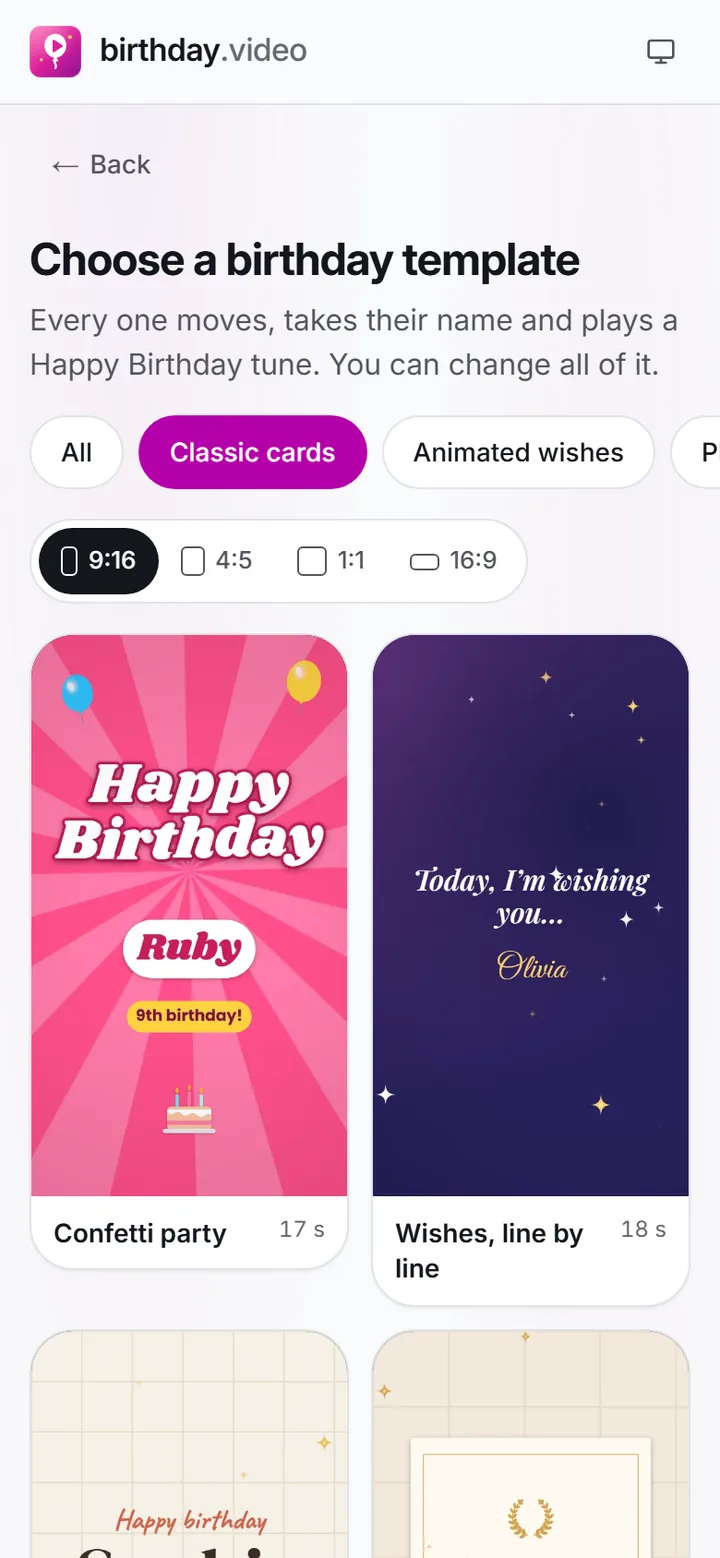
Press Make a birthday GIF and pick a design from Templates. Ones with a big title and bold colours read best at GIF size.
 (enlarge image)
Pick a card from the gallery; the category and the shape are already set by the page you came from.
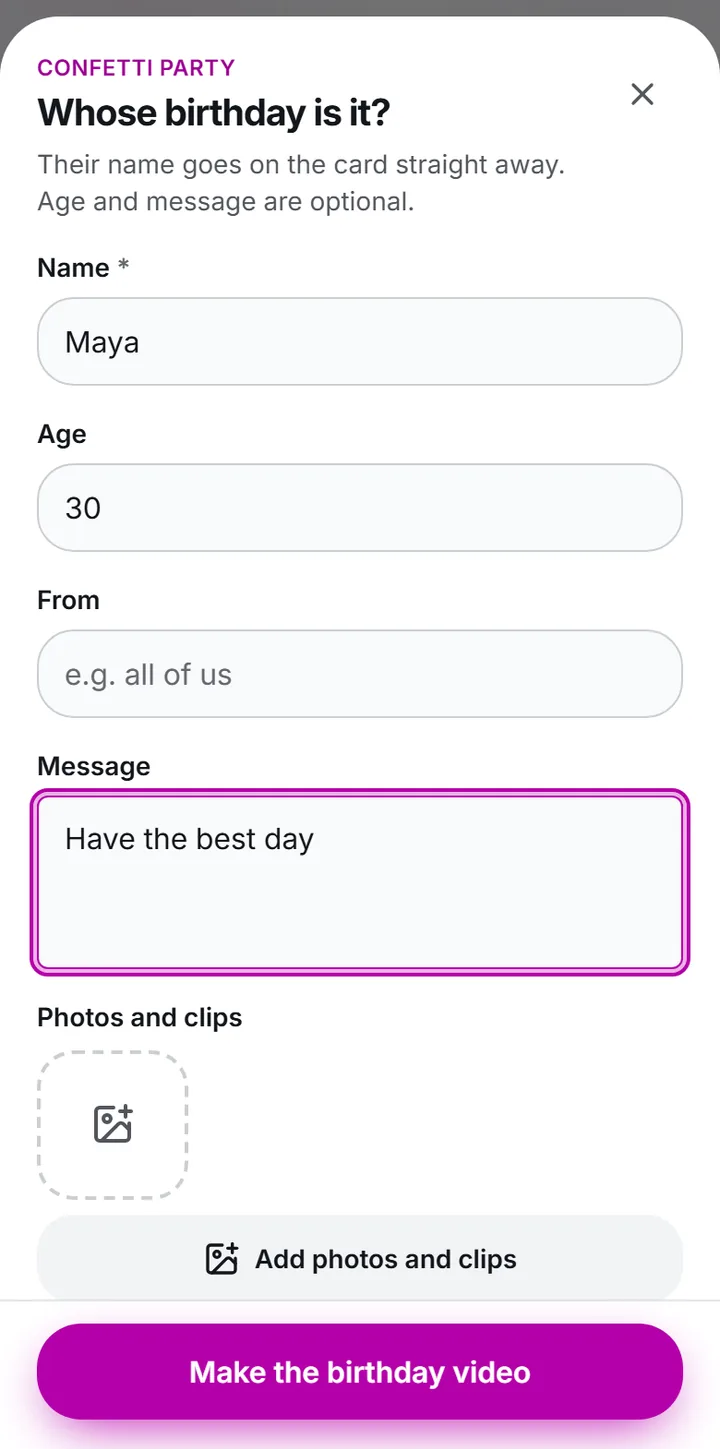
Type their Name, and the Age if it is a number they will enjoy seeing. Keep any Message to a few words.
 (enlarge image)
Type the Name, Age and Message, then Add photos and clips if you have them.
GIF is already chosen and Format is Square 1:1. Story 9:16 also works if you will post it as a Story.
 (enlarge image)
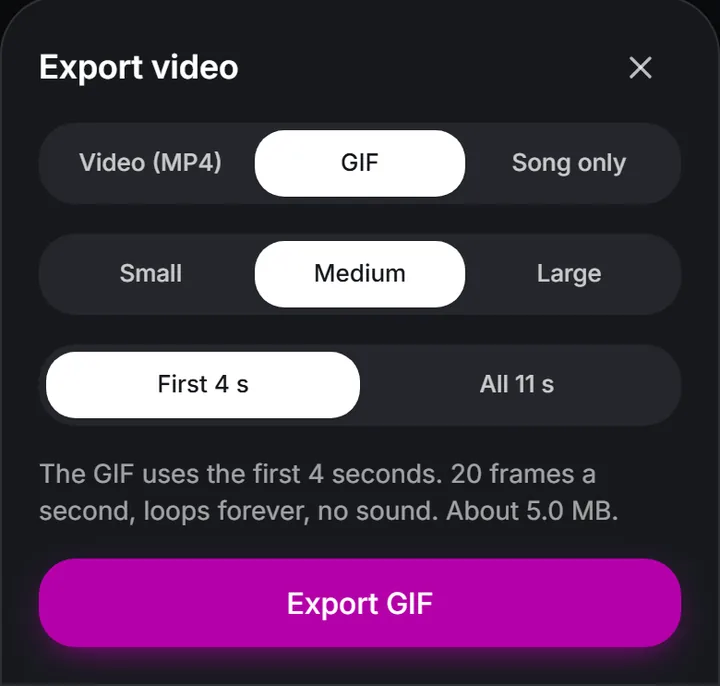
Choose GIF for a silent loop: pick a size and how much of the video it uses, and the sheet estimates the file size.
Press Export video, then choose GIF, then Download video to save it, or Share on a phone to send it to a chat.
GIFs have no sound and work best short and simple, so a design with lots of photos is better as a video. The happy birthday video page covers the MP4 side.
GIFs get large quickly, and chat apps shrink or refuse big files. A square design with a few bold colours and a short loop stays small and crisp. Long messages, photos and gradients all add weight; if a GIF looks blotchy, choose a simpler design or send it as an MP4.
Yes. Making and downloading a GIF is free, with no watermark and no account.
Yes. Type it into Name and it is drawn into every frame. The GIF with name page has more on getting names to read well.
No. GIF files can’t carry sound. For the Happy Birthday tune, choose Video (MP4) and press Export video instead.
Yes. The GIF plays from start to finish and starts again, for as long as it is on screen.
Square 1:1 suits chats and comments best. Choose Story 9:16 under Format if it is going in a Story.
No. It is made by your browser on your phone or computer and only goes where you send it.